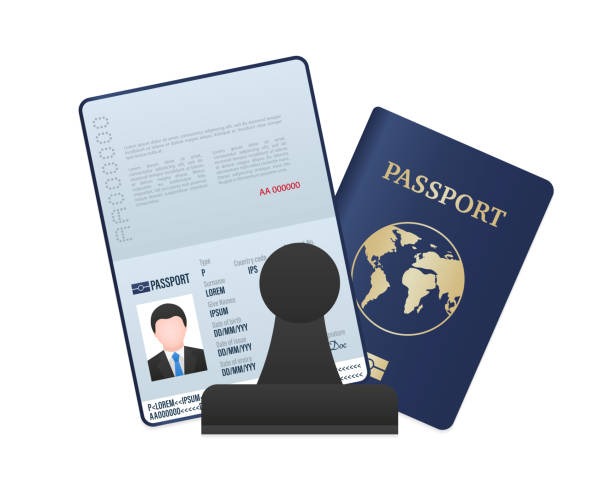
Booking a passport appointment is stressful enough without worrying about whether your photo will pass. A good passport photo app takes that worry off your plate entirely. Instead of driving to a pharmacy, standing against a blank wall, and hoping the lighting works out, you upload a selfie from your phone, and the app does the rest.
What Does a Passport Photo App Actually Do?
At its core, a passport photo app removes your background, resizes your head to the exact proportion your government requires, and exports a file in the correct dimensions. It sounds simple, but the details matter enormously. A US passport photo, for example, has to be 2×2 inches and 600×600 pixels, with your head filling between 50 and 69 percent of the frame. Miss that range and your application can be rejected outright.
This is where a dedicated passport photo maker earns its keep. Rather than guessing where to stand or how far back to crop, the app measures everything against the published government spec before you ever submit the photo anywhere.
Why Selfies Usually Fail the First Time
Most rejected passport photos aren’t rejected because the person looks bad. They’re rejected because of technical issues nobody thinks to check. Shadows behind the head, a background that isn’t plain white or off white, glasses of glare, or a head that’s cropped too tight or too loose are the usual culprits. Honestly, it’s rare about the photo quality itself.
What’s interesting is that these mistakes are almost always fixable with software, not a reshoot. A background removal tool paired with automatic head sizing catches the errors a person would miss standing in front of a mirror. That’s the entire premise behind a passport photo maker built around real government templates rather than generic cropping.
How the Process Works from Selfie to Finished File
A well-built passport photo app follows a short, predictable path. You upload any photo, against any background, and the tool cuts the background out digitally. Then it crops and scales your head to match the required percentage of the frame. Finally, you get to preview the finished image before committing anything.
ReadyVisaPhoto builds its entire flow around that last step, letting you see the finished photo for free before you pay a cent, with a flat $16.99 charge only once you’re happy with the result. If a government portal still rejects the photo, the refund policy covers the full amount within 30 days of purchase, and you don’t need to upload proof, just email the order id.
Consider a practical scenario: someone applying for a US passport renewal by mail doesn’t have time to redo a photo if it bounces back. Checking the photo against the spec first, for free, removes that entire risk before a stamp gets licked.
Which Documents Does This Cover?
Not every photo tool is built for just one country’s passport. A capable passport photo maker should handle multiple formats, because the requirements genuinely differ from one government to the next.
- United States passport: 2×2 inches, 600×600 pixels, head 50 to 69 percent of frame
- United Kingdom passport: 35×45 mm, light grey background, head 64 to 76 percent
- Australia passport: 45×35 mm, light background, face 71 to 80 percent
- US visa DS-160: 600×600 pixels, under 240 KB, head 50 to 69 percent
Each of those specs comes from the actual government photo pages, not a rough estimate, which is why matching them precisely is the whole point of using an app instead of eyeballing it.

Is a Passport Photo App Worth Compared to a Photo Booth?
In fact, the honest answer depends on your situation. A photo booth or pharmacy counter still works fine if one is nearby, and you have time to spare. But if you’re applying for multiple documents, say a passport and a visa in the same season. Redoing the trip for each one gets old fast.
A passport photo app also solves a problem photo booth can’t: preview the result before paying. You know exactly what you’re getting, measured against the spec, before any money changes hands. That single feature changes the calculation for a lot of travelers who’ve been burned by a rejected photo before.
Getting It Right the First Time
The truth is that passports and visa photos are one of the more overlooked parts of an application. People spend hours on forms and documents, then snap a photo in thirty seconds and hope for the best. Using a tool that checks proportions against the actual government template, rather than trusting your own judgment, closes that gap.
If you’re staring down an upcoming application deadline, uploading a selfie and letting an app handle the sizing and background is a faster, cheaper path than another trip to a photo counter. And with a free preview built into the process, there’s no real downside to checking before you commit.
FAQ
Does a passport photo app work for visa photos too?
Yes. The same background removal and head sizing process applies to visa photos like the DS-160, Schengen visa, and China visa, each matched to its own published spec.
What if the photo still gets rejected after I download it?
A reputable passport photo maker will refund you if a portal rejects the photo, typically within a set window after purchasing and without requiring proof of rejection.
Can I use any selfie, or does the background matter?
Any background works because the app removes it digitally and replaces it with the required plain background before resizing your head to spec.